Informational guide on how to vectorise an image correctly & easily
Learn what it means to vectorise an image, the benefits of vector formats, and how to create vector images for crisp, scalable designs that are ideal for business branding and promotional products. Discover how this practical skill can help businesses create professional, high-quality visuals.
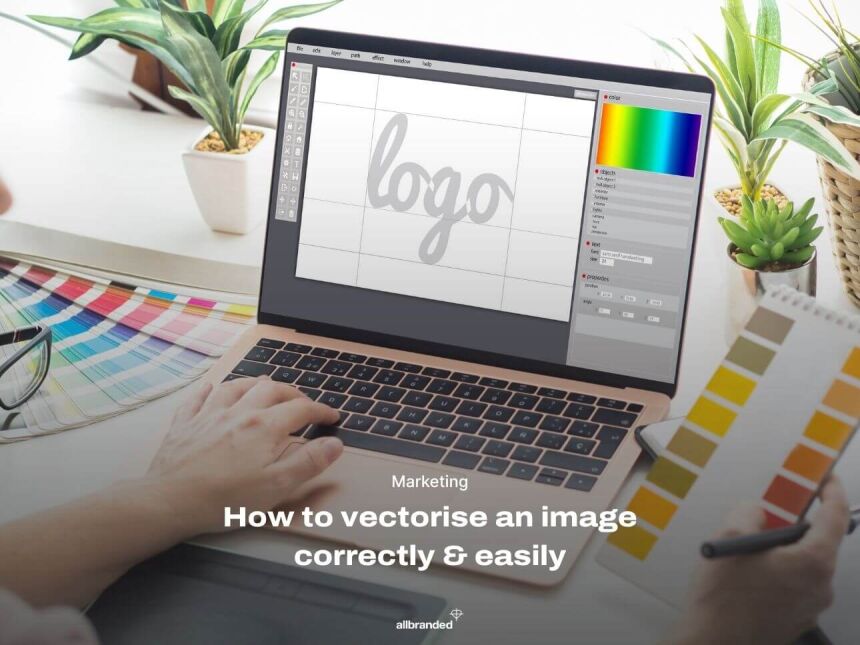
In today's digital landscape, image quality and formatting are more important than ever. As markets become increasingly competitive, businesses need to stand out visually. One common challenge is ensuring that logos and graphics remain sharp rather than becoming blurred when resized.
This guide covers everything businesses need to know about vectorising an image, including the benefits, file types, step-by-step instructions, and best practices. Whether someone is new to vector graphics or simply looking to refresh their knowledge, this guide provides a practical overview.
Raster vs vector files: What is the difference?
A vector image is a digital graphic made up of paths, curves, and points rather than pixels. Unlike raster images, which can become pixelated or blurry when enlarged, vector graphics remain sharp and clear at any size.
Pixels are tiny coloured squares that combine to form detailed photographs and graphics. While raster images can produce excellent detail, they are resolution-dependent. This means that enlarging them beyond their original size can result in blurred or pixelated images.
For businesses printing logos on larger items such as banners, signage, or promotional merchandise, this can create quality issues that affect the overall appearance of the finished product.
Why do vector files matter for businesses?
Vectorising an image converts it into a flexible, scalable format that helps maintain image quality across a wide range of applications. This makes vector files particularly useful for logos, branding materials, and promotional merchandise. In many ways, a vector image acts like a blueprint: precise, adaptable, and reliable.
Once a vector file has been created, businesses and brands can apply this image to a variety of ways. Vectors can be stretched and adapted to any size, making it convenient for any use case.
How can businesses tell if an image file is a vector?
When ordering promotional products or printed materials, it is worth checking with an in-house graphic designer or marketing team first. They may already have a vector version of the company logo available.
If a vector file is not available, many promotional product suppliers can help convert existing artwork into a vector format. Once created, the file can be stored and reused for future orders, helping to save time and ensure consistency across branded materials.
Types of vector image formats
When learning how to convert an image into a vector file, it is important to understand the different file formats available. There are four main types of vector files and what makes them different from each other.
SVG (Scalable Vector Graphics)
An open-standard format commonly used for websites and digital applications. SVG files support animation and interactivity, making them ideal for web design.
EPS (Encapsulated PostScript)
A popular format for logos and professional print graphics. EPS files are widely supported across design software and print workflows.
AI (Adobe Illustrator)
The native file format for Adobe Illustrator. It is widely used by professional designers and is particularly suitable for complex illustrations and branding projects.
PDF (Portable Document Format)
Although best known as a document format, PDFs can also contain vector graphics. This makes them a versatile option for sharing and printing artwork.
For further guidance, businesses may find it useful to refer to the dedicated create a print file guide or speak with a promotional products specialist.
How to make a picture into a vector file
The process of converting an image into a vector file is relatively straightforward with the right software.
Step 1: Choose the right software
Popular options include Adobe Illustrator, CorelDRAW, and Inkscape.
Step 2: Import the image
Open the chosen software and upload the image that needs to be converted.
Step 3: Use the trace tool
Most vector design programmes include an automatic tracing feature that converts raster images into vector graphics. Adjust the settings as needed to achieve the desired level of detail.
Step 4: Refine points and paths
After tracing, review the image carefully and adjust curves, points, and paths where necessary. This helps create cleaner lines and more accurate shapes.
Step 5: Save in a vector format
Once satisfied with the result, save the artwork in a vector format such as SVG, EPS, or AI.
💡 Business tip ➥ Make sure to share this file with the necessary parties, such as the marketing, media, and design departments. This file can be used for anything and everything. Save the file in a common folder or software to ensure everyone always has access at all times.
Tips for creating high-quality vector images
Creating a vector file is only the first step. The following best practices can help improve the final result:
- Keep designs simple where possible. Overly complex graphics can be difficult to scale effectively.
- Use colours that align with established brand guidelines to ensure overall branding consistency.
- Refine paths and reduce unnecessary anchor points to improve file quality.
- Stay up to date with design software updates and tools that can streamline the process.
Benefits of using vector images
Vector graphics offer several advantages that make them particularly valuable for business branding and promotional materials.
Scalability without losing quality
Vector images remain sharp and professional whether they appear on a business card or a large exhibition banner. Change and adapt the size per project without losing quality.
Smaller file sizes
Vector files are often smaller than high-resolution raster images, making them easier to store, share, and manage. This can also help with page speed when used on websites or in apps.
Easier editing
Colours, shapes, and dimensions can be adjusted quickly without affecting image quality.
Professional appearance
Clean lines and smooth edges help create a polished, consistent brand image across all marketing materials and use cases.
Common uses for vector images in business
Vector graphics are used across a wide range of business applications.
Logos and branding assets
Logos are one of the most common uses for vector graphics because they need to maintain quality across multiple formats and sizes.
💡 Business tip ➥ Businesses and brands should always keep a backup version of their logo in a vector format. Having a vector file readily available can save significant time when ordering printed marketing materials or promotional products.
Print materials
From brochures and leaflets to posters and exhibition graphics, vector files help ensure consistent print quality.
Promotional merchandise
Products such as pens, bags, water bottles, and clothing often require vector artwork to achieve the best print results.
Web graphics
SVG files are particularly effective for website icons, illustrations, and other digital assets because they remain sharp while helping pages load quickly.
Final thoughts on vectorising images
Understanding how to vectorise an image is more than a technical skill. For businesses, it plays an important role in creating professional, flexible branding assets that can be used across both digital and printed materials.
As demand for high-quality, scalable graphics continues to grow, having access to vector artwork gives businesses a valuable advantage. Whether creating logos, marketing materials, or promotional products, vector files help ensure visuals remain sharp, professional, and consistent.
For businesses that need assistance, speaking with a promotional products specialist or graphic design expert can make the process even easier.